


Highlights
- eNPS measures how likely employees are to recommend their workplace to others.
- Employees are grouped as promoters, passives, or detractors based on survey responses.
- HR software like Paismo automates surveys, dashboards, analytics, and payroll integration for eNPS tracking.
- Positive eNPS indicates strong engagement, loyalty, and reduced employee turnover.
- Avoid common mistakes, don’t rely on a single score, keep feedback loops short, and track long-term trends.
Employee opinions can reveal a lot about the health of a workplace. When people feel heard and respected, they usually stay motivated and committed to their roles. As a result, many companies regularly measure employee feedback. One common method is the employee net promoter score, which shows how likely employees are to recommend their workplace. In addition, tools such as cloud HRMS and HR software in the UAE help HR teams collect and review feedback more easily.

In this blog, we will explain what the employee net promoter score is and how to calculate it step by step.
What Is Employee Net Promoter Score (eNPS)?
The employee net promoter score (eNPS) is a simple way for companies to understand how employees feel about their workplace. It is based on the idea of an employee net promoter score survey, where employees answer one key question: How likely are you to recommend this company to a friend or coworker? The answer is given on a scale from 0 to 10.
This method serves as a quick employee guide for measuring satisfaction and engagement within an organization. Based on the responses, employees are grouped into three categories:
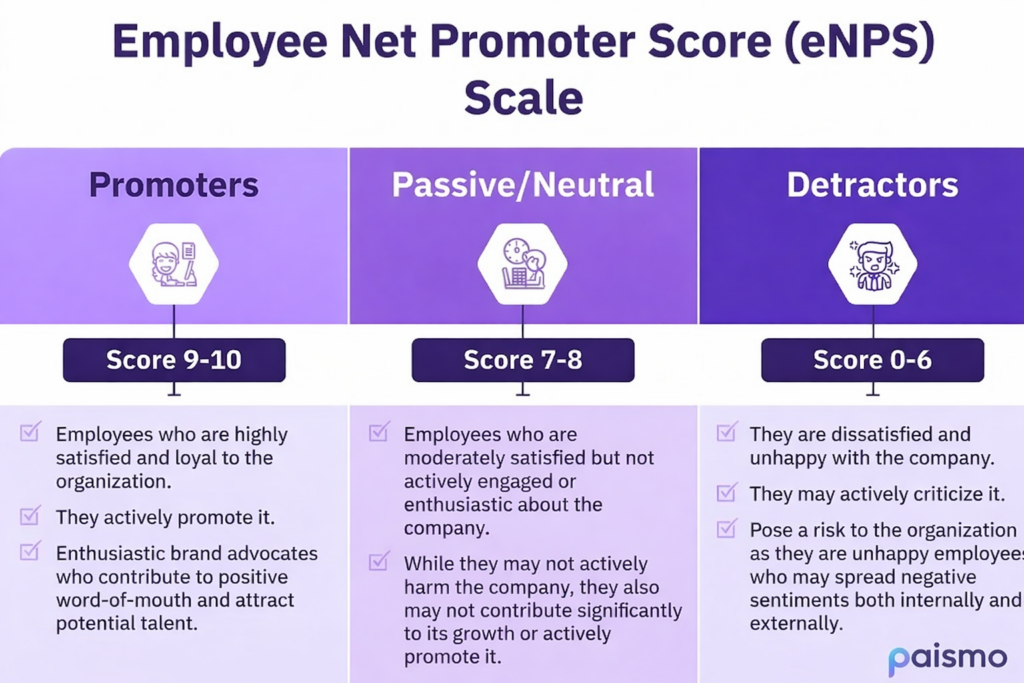
- Promoters (9–10): Highly satisfied employees who support the company and speak positively about it.
- Passives (7–8): Employees who feel neutral and may stay but are not strongly connected to the company.
- Detractors (0–6): Employees who may feel unhappy and are less likely to recommend the workplace.
By reviewing these responses, HR teams can better understand employee sentiment and find areas for improvement.
Why Employee Net Promoter Score Matters for Organizations?
This metric helps organizations understand how employees feel about their workplace. It gives a clear view of engagement, satisfaction, and the overall work environment.
- It supports an employee engagement survey by providing HR teams with useful insights into employee experience and workplace culture.
- The results help organizations identify workplace issues early so they can solve problems before they become serious.
- The feedback also helps companies improve leadership, because managers can understand employee concerns and adjust their approach.
- When employees feel heard and valued, they are more likely to stay, which helps reduce employee turnover.
- Positive employee experiences also strengthen the company’s reputation and help attract skilled talent.
How to Calculate Employee Net Promoter Score?
Calculating the score is simple and can be done in clear steps:
Step 1: Collect employee responses
Ask employees a single question on a scale of 0–10: How likely are you to recommend this company to others?
Step 2: Categorize responses
- Promoters (9–10): Employees who are happy and satisfied.
- Passives/Neutral (7–8): Employees who are generally satisfied but not fully engaged.
- Detractors (0–6): Employees who are unhappy or disengaged.
Step 3: Calculate percentages
Count the number of employees in each category and find their percentage of the total respondents.
Step 4: Apply the formula
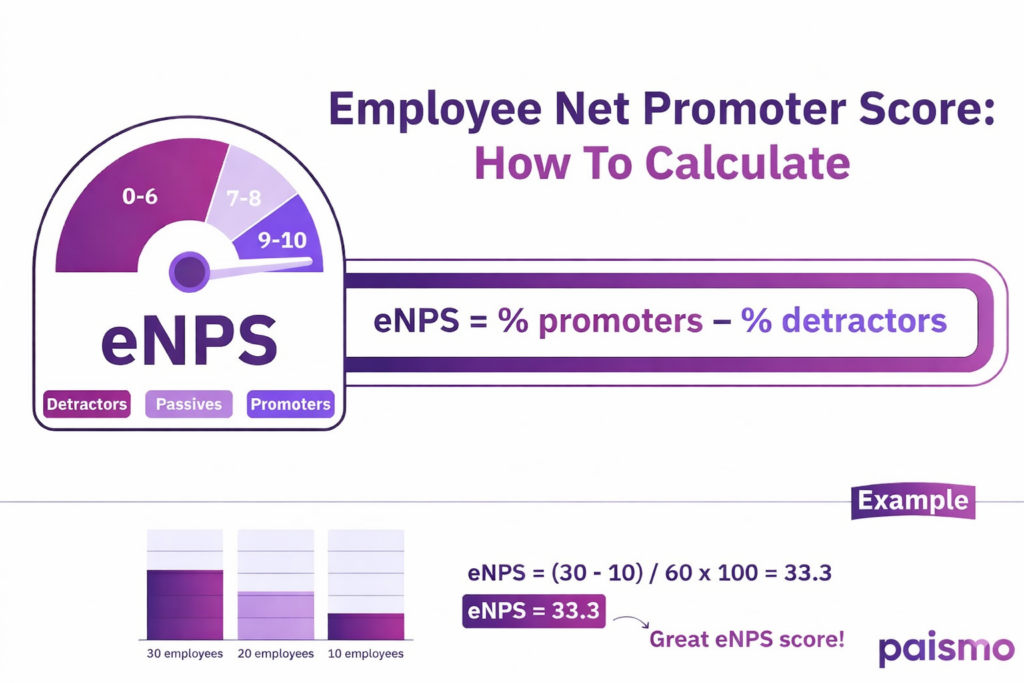
eNPS = % Promoters − % Detractors
Step 5: Interpret the score
The result shows overall employee engagement and satisfaction. Positive scores indicate more satisfied employees, while negative scores show more dissatisfaction.
Examples of Employee Net Promoter Score
Here are a few examples showing how eNPS is calculated in different scenarios.
Example 1: Small Company (60 Employees)
| Category | Number of Employees |
| Promoters | 30 |
| Passives | 20 |
| Detractors | 10 |
Calculation:
eNPS = (30 − 10) / 60 × 100 = 33.3
Analysis: More promoters than detractors indicate good engagement.
Example 2: Large Company (1000 Employees)
| Category | Number of Employees |
| Promoters | 400 |
| Passives | 150 |
| Detractors | 450 |
Calculation:
eNPS = (400 − 450) / 1000 × 100 = −5
Analysis: Negative eNPS shows more disengaged employees; action is needed to improve engagement.
Example 3: Multiple Regional Offices
| Office | Promoters | Detractors | eNPS |
| Office 1 (New York) | 30 | 20 | 10 |
| Office 2 (San Francisco) | 40 | 30 | 10 |
| Office 3 (Chicago) | 50 | 15 | 35 |
| Office 4 (Texas) | 20 | 25 | −5 |
Analysis: Office 3 has the highest engagement; Office 4 needs improvement.
What Is a Good Employee Net Promoter Score?
Employee Net Promoter Score (eNPS) ranges from ‑100 to +100, with higher scores showing positive employee sentiment and lower scores showing dissatisfaction. A score of +100 means every employee is fully satisfied and motivated.
In general:
- +10 to +30: Good engagement; most employees are satisfied and supportive.
- Above +30: Excellent engagement; employees are strong promoters and likely to recommend the company.
- Below 0: Indicates more disengaged employees than satisfied ones, showing the need for immediate improvement.
A higher eNPS reflects a healthy workplace, stronger loyalty, and lower risk of employee turnover.
How HR Software Helps Track Employee Net Promoter Score?
Tracking employee satisfaction and engagement is much easier with the right HR software. Paismo, known as the best HR software and best employee management software, helps organizations measure and improve employee experience efficiently. With automated tools, HR teams can collect feedback, calculate eNPS, and analyze results in real time.
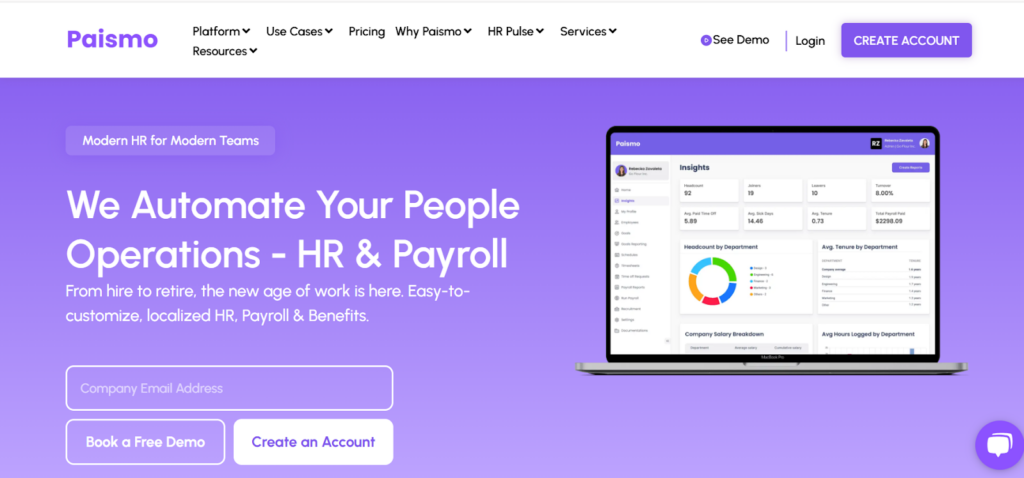
Key features in Paismo that help track Employee Net Promoter Score include:
- Employee Engagement Surveys: Automate eNPS surveys and collect responses on a 0–10 scale.
- Automated Analytics: Calculate eNPS scores instantly and generate detailed reports for HR teams.
- Dashboard Insights: Visualize promoters, passives, and detractors to quickly understand engagement trends.
- Automated Payroll Integration: Combine satisfaction data with payroll insights to understand engagement drivers and reward high-performing teams.
- Continuous Feedback Tools: Enable employees to share ongoing feedback, helping management improve culture and retention.
By using Paismo, organizations can efficiently track eNPS, identify areas for improvement, and strengthen overall employee engagement.
Top Employee Net Promoter Score Questions to Ask
The main employee net promoter score question is simple but powerful: “On a scale of 0–10, how likely are you to recommend this company as a place to work?” This single question gives a clear, high-level view of employee sentiment.
To gain actionable insights, it’s helpful to follow up with open-ended questions:
- What is the primary reason for your score?
- What would prompt you to give our company a higher score?
- Do you feel the company has a positive work culture?
- Do you feel valued and heard at work?
- How supported do you feel by your manager?
- Are you satisfied with opportunities for professional growth?
- What prevents you from giving a higher score?
- What could we do differently to improve your day-to-day work?
These questions help organizations understand the reasons behind employee ratings, identify areas for improvement, and strengthen engagement across culture, leadership, and growth opportunities.
Common Mistakes Companies Make with eNPS
While eNPS is simple to understand, it’s easy to misuse if you focus only on the score and not the meaning behind it.
Here are common mistakes to avoid:
- Over-Relying on a Single Score
Focusing only on the eNPS number doesn’t show the full picture of employee sentiment or highlight specific areas to improve.
What to do instead: Track trends over time and combine eNPS with other engagement drivers like manager effectiveness or workplace culture to understand why employees feel the way they do.
- Failing to Close the Loop with Employees
If employees never hear back after giving feedback, they may stop participating in surveys.
What to do instead: Share survey insights and actions you plan to take. When employees see results, they’re more likely to stay engaged in future surveys.
- Reacting Too Strongly to Short-Term Dips
Sudden drops in eNPS can be alarming, but reacting immediately may address symptoms rather than root causes.
What to do instead: Focus on sustained trends over multiple survey cycles before making major changes, ensuring solutions target real issues, not temporary fluctuations.
Summary
Employee Net Promoter Score (eNPS) measures how likely employees are to recommend their workplace. It categorizes employees as promoters, passives, or detractors, helping HR teams understand engagement and satisfaction. Using tools like Paismo, organizations can automate surveys, analyze results, and track trends. Positive eNPS improves retention, leadership, and workplace culture, while avoiding common survey mistakes ensures accurate insights.
FAQ
How To Calculate Employee Net Promoter Score?
To calculate eNPS, ask employees to rate on a 0–10 scale how likely they are to recommend the company. Group responses into Promoters (9–10), Passives (7–8), and Detractors (0–6). Then apply the formula: eNPS = % Promoters − % Detractors. Positive scores show higher engagement.
What Is Employee Net Promoter Score (eNPS)?
Employee Net Promoter Score (eNPS) is a metric that measures how likely employees are to recommend their workplace. It helps organizations understand employee satisfaction, engagement, and overall sentiment.
When and How To Send eNPS Surveys?
Send eNPS surveys regularly, such as quarterly or biannually, to track trends. Use a simple one-question survey on a 0–10 scale, then follow up with open-ended questions for deeper insights. Ensure anonymity and share results with employees to close the feedback loop.
Become a part of the Paismo community
Paismo is an HR software that can help simplify your HR operations. In today's dynamic economic environment, efficient HR and automated payroll management are no longer a luxury but a necessity. Paismo is a comprehensive solution that transforms traditional HR complexes into streamlined and automated workflows. Paismo and its paired biometric device integration can be used for your business to mark employee attendance and record their timesheets accurately.
Paismo simplifies your tasks with its core HRMS, timesheets, and attendance management, as well as biometric attendance, payroll automation, and leave management system.

Take the first step toward modernizing your HR and payroll processes and explore what Paismo can do for you. Book a demo with our sales team.